Last Updated on July 24, 2026
A2E AI is a generative video platform that creates AI avatars, voice clones, and image-to-video content directly from your browser. It stands out for its uncensored creative policy, generous free tier (100 signup credits + 30 daily credits), and multi-model aggregation that lets you test Kling, Wan, Veo, and Sora 2 under one login. The platform excels at experimental content, product visualization via Tripo 3D integration, and cross-language voice cloning. However, output quality can be inconsistent, free exports are watermarked at 720p, and the workflow remains generation-first—meaning you’ll need separate editing tools for polish. A2E AI works best for developers, power users, and creators prototyping wild ideas, but it’s not yet a production workhorse for scaled ad campaigns or enterprise-grade corporate videos. Pro plans start at roughly $8.25/month and remove watermarks while unlocking 4K output.
So you keep hearing about A2E AI. Maybe a creator you follow dropped a mind-blowing AI video. Or you stumbled across a Reddit thread praising its creative freedom. You’re curious. You should be.
A2E AI isn’t just another video tool. It’s a full creative sandbox that’s quietly become the go-to for developers, marketers, and creators who refuse to let traditional production slow them down . The platform generates videos from scripts, images, or voice samples. No cameras. No actors. No expensive studio time.
But here’s the thing—it’s also polarizing. Some creators swear by its uncensored flexibility. Others hit frustrating walls with inconsistent outputs. The difference comes down to understanding what this platform actually does and what it doesn’t.
This A2E AI review cuts through the hype. No fluff. Just a practical breakdown of its real capabilities, hidden risks, and exactly who should be using it in 2026.
What Is A2E AI?
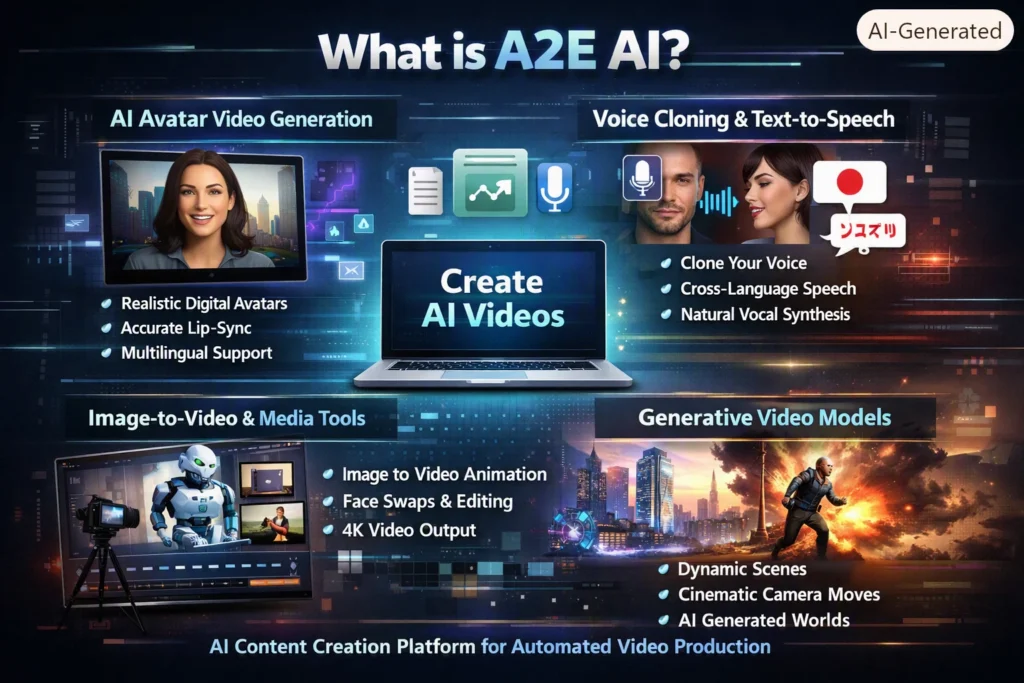
A2E AI is a generative AI content creation platform built for automated video production . It runs entirely in your browser and lets you create AI videos using text prompts, uploaded images, or voice cloning tools. The system supports avatar videos, image-to-video generation, and advanced generative video models .
The platform’s core offerings break down into a few key pillars:
AI Avatar Video Generation
A2E generates digital humans from photos or short video clips. The lip-sync is where it shines—they’ve spent years refining it, and the mouth movements feel unsettlingly natural. You can even catch teeth and subtle facial expressions, which is rare in this space .
Key capabilities include:
- Accurate lip-sync and natural mouth movement
- Multilingual avatar generation for localization
- Realistic avatar performance without recording new footage
Voice Cloning and Text-to-Speech
The platform integrates speech synthesis and voice cloning technologies from Minimax, ElevenLabs, and Cartesia . The voice cloning goes beyond just mimicking words—it captures tone, inflection, and accent. The cross-language feature is a game-changer too. You can record a demo in English and have it speaking fluent Japanese with your exact voice.
Key capabilities:
- Cross-language voice synthesis
- Preservation of accent and vocal tone
- Flexible voice creation for creative or experimental content
Image-to-Video and Media Tools
This is where A2E really gets interesting. Upload a product shot or a character render, add a prompt, and A2E animates it with camera movement, lighting, and atmosphere .
Features include:
- Image-to-video generation with resolution ranging from 720p on the free plan to up to 4K on paid tiers
- Head or face swap with talking-photo animation
- Subtitle removal and video-to-audio extraction
- Built-in text-to-image generation within the same toolkit
Generative Video Models
Beyond avatars and narration, A2E supports advanced generative video models like Veo, Wan, and Kling . These models can generate:
- Camera movement and scene transitions
- Dynamic character motion
- Visually rich environments
Head Swap and Face Swap
A2E’s head swap system uses advanced generative identity embedding to ensure identity accuracy, lighting coherence, and texture realism . The process is effortless—you don’t need to prompt, mask, or retouch. Just upload and generate.
What sets it apart:
- Lighting and shadow matching
- Facial geometry alignment
- No prompt or manual editing required
- Photorealistic consistency
Practical use cases include one-click character consistency in storytelling, repairing old and distorted photos, and creating consistent avatars for branded content .
Multi-Model Aggregation
Here’s where it gets interesting. A2E gives you access to multiple generative video models under one login—Kling, Wan, Veo, Sora 2, and more . You can test the same prompt across different models to see which delivers the best results without juggling five subscriptions.
A2E AI Pricing and Plans
A2E uses a credit-based system where credits represent compute usage . Each generation consumes a fixed number of credits, and you only pay for what you use. No per-image subscription required unless you choose one.
Free Tier
- 100 signup credits to get you started
- 30 daily credits just for showing up
- Watermarked exports capped at 720p
Pro Plan
- Starts at approximately $8.25 per month
- 9000 credits per month on the Ultra plan
- Always highest processing priority with no speed throttling
- 4K output support on capable models
- No watermarks
API Access
The API starts at $9.9 per month with a 99.9% SLA guarantee . Pay-as-you-go options are also available through usage-based billing.
Max Plan Transition
A2E recently introduced a new plan called Ultra, which replaces the previous Max plan for new subscriptions :
| Plan | Video Generation | Speed Priority | Credits/Month |
|---|---|---|---|
| Max (Legacy) | Unlimited | May experience speed throttling | N/A |
| Ultra (New) | 9,000 credits/month | Always highest priority | 9,000 |
Existing Max members can continue using their current plan, but if they unsubscribe, they won’t be able to subscribe to Max again .
The Tripo x A2E Workflow
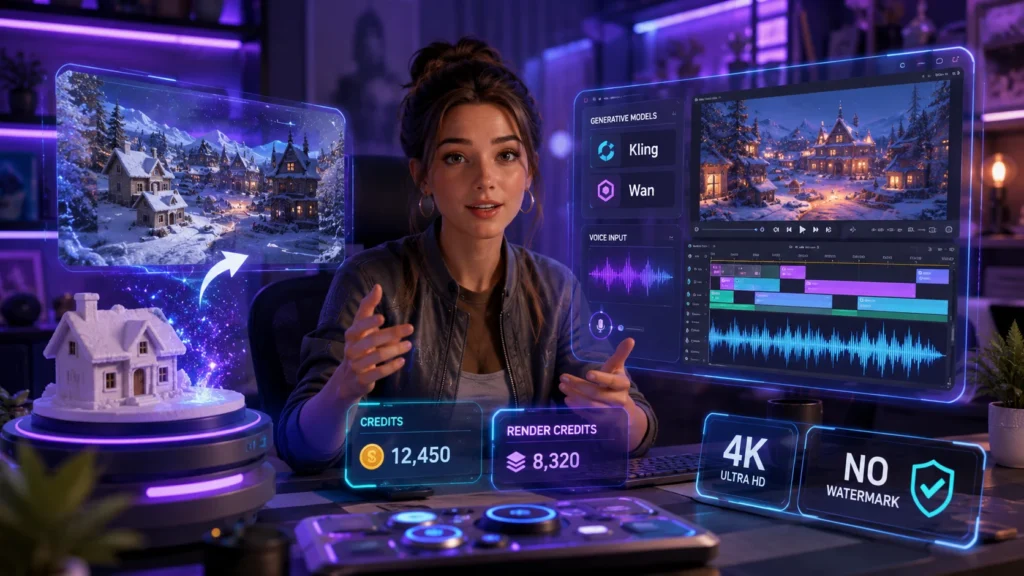
One of the most powerful A2E AI use cases is the Tripo integration. This workflow lets creators start with an idea, generate a 3D model in Tripo, capture a clean preview, and then use A2E to turn that preview into an AI video .
The workflow is refreshingly simple:
- Start with an idea
- Generate a 3D model in Tripo
- Capture or export a clean model preview
- Upload the preview to A2E
- Create an AI video
- Publish on your website, social media, or marketing channels
This doesn’t replace creative direction—it gives teams a faster way to visualize, test, and share an idea before investing in a full production workflow .
Prompt Example
Here’s a prompt that works beautifully with the Tripo workflow :
“A tiny ceramic winter cottage sits in a miniature snowy landscape. As the camera slowly pulls back, the miniature scene expands into a vast winter village filled with glowing houses, snowy roads, and pine forests. Soft snowfall, magical atmosphere, realistic lighting, cinematic scale transition.”
This kind of prompt gives A2E clear direction for motion, scene expansion, atmosphere, and camera behavior while keeping the Tripo model preview as the visual starting point.
Ideal Use Cases for This Workflow
- Product visualization and concept videos
- Social media content creation
- Game asset previews and trailers
- Ecommerce product showcases
- Marketing and advertising creative exploration
- Early-stage design presentations for clients
Is A2E AI Safe to Use?
This is a legitimate concern. A2E AI runs in the cloud, so you need to know where your data goes.
Data Storage
Uploaded media is stored on Amazon Web Services (AWS) servers in the United States. However, A2E also maintains data centers across multiple regions globally, including North America, East Asia, the Middle East, and Europe .
Voice samples are not used to train its voice cloning system. User uploads and generated files are automatically and permanently deleted from servers after a set retention period .
Risk Factors to Know
- Open-content policy: The platform allows NSFW, 18+, and unfiltered content. This gives creative freedom but can expose users to sensitive or disturbing outputs .
- Content flagging: Some users report the system may flag content incorrectly, especially when AI misreads fictional characters or stylized visuals as illegal or inappropriate .
- User responsibility: Creators must own the rights to any images or voice samples used in A2E AI projects.
- Cloud security limits: Like any online service, A2E cannot guarantee perfect protection for data sent over the internet .
Community Feedback
Community discussions show mixed opinions . Some users praise the ability to generate open-style AI video content and experiment with AI visuals. Others say output quality varies depending on prompts or models.
Overall, creators view A2E as useful for experimental content but recommend using it carefully and understanding its open-content policies .
A2E AI vs. Competitors
A2E AI vs. Pollo AI
This is the most direct comparison. Both platforms offer AI video generation, but they serve different audiences .
| Aspect | A2E AI | Pollo AI |
|---|---|---|
| Best For | Developers, agencies, power users | Casual creators, marketers |
| Maximum Resolution | Up to 4K | 1080p |
| NSFW/Uncensored | Yes (via Wan, etc.) | No |
| API Access | Unified, single credit system | Separate API and user credits |
| Idea-to-Video Agent | No | Pollo Agent (automated workflow) |
| Model Strategy | Open base models (no lock-in) | Proprietary models (Pollo 2.5, etc.) |
Where Pollo Wins
- Pollo Agent turns a single idea into a complete publishable video automatically
- Proprietary models produce a distinctive look exclusive to Pollo
- UI is genuinely well-designed for casual users with templates and presets
- Specialized one-click tools: AI Dance Generator, AI Pet Podcast, Video to Anime, and more
Where A2E Wins
- 4K output support (Pollo caps at 1080p)
- Unified API—same credits power UI, automated workflows, avatar generation, lip sync, and voice cloning
- Uncensored creative generation through Wan and similar models
- No vendor lock-in—your prompts and skills work elsewhere if A2E ever changes direction
A2E AI vs. KreadoAI
For DTC brands and marketing teams, KreadoAI offers a different value proposition .
| Metric | A2E AI (Standard Tier) | KreadoAI (Pro Tier) |
|---|---|---|
| Pricing Model | Credit-based | Tiered subscription |
| Workflow Integration | Basic (requires third-party tools) | All-in-one (edit, export, publish natively) |
| Multilingual Support | 30+ languages, basic voices | 140+ languages, 40k+ voices |
| Marketing Toolset | Basic generative only, no templates | Advanced, built-in scripts, TikTok-style tools |
A2E AI vs. HeyGen
HeyGen is a premium avatar platform that excels at polished corporate videos. A2E’s open multi-model approach gives it more flexibility for experimentation .
Pros and Cons of A2E AI
The Good
- Generous free tier: 30 free credits daily plus a 100-credit signup bonus
- Creative freedom: NSFW and 18+ content allowed—no filters to hold you back
- Developer-friendly: MCP-ready API and on-premise deployment options
- Multi-model access: Compare Kling, Wan, Veo, and Sora 2 under one login
- Portable skills: No vendor lock-in with open base models
The Bad
- Inconsistent output quality: Results vary wildly depending on the model, prompt, and even random seed values
- Watermarked 720p on free tier: Fine for testing but useless for publish-ready content
- Fragmented workflow: A2E is generation-first. You’ll need separate editing tools to polish, resize, and format content
- Risk of sensitive outputs: The open-content policy means you might generate content you didn’t expect
Who Should Use A2E AI?
A2E isn’t a one-size-fits-all solution. Here’s where it excels and where you should look elsewhere.
Pick A2E If You’re:
- A developer building on top of AI video APIs—the unified credit system is a serious workflow win
- A creator prototyping wild ideas with uncensored flexibility
- Testing multiple generative models in one place without juggling subscriptions
- Okay with variable output and a fragmented workflow
Skip A2E If You Need:
- Consistent, publish-ready content every time—output quality varies too much
- Scaled ad production for ecommerce or marketing teams (look at KreadoAI instead)
- A single, all-in-one workflow from generation to export
- Enterprise-grade polish for corporate videos (HeyGen is stronger here)
Should You Use A2E AI in 2026?
A2E AI is a powerful, flexible, and genuinely fun tool for exploring what AI video can do. It’s not a production workhorse. At least not yet.
The platform’s future is bright, especially with integrations like Tripo and partnerships with top-tier voice and video models. But for now, it’s a creator’s sandbox. And that’s exactly what makes it so exciting.
For developers and power users, A2E offers something rare: uncensored creative control, 4K output, and a unified API that doesn’t lock you in. For casual creators, the free tier is generous enough to test workflows without spending a dime.
Just go in with eyes open. Understand the risks of the open-content policy. Be ready for variable output. And don’t expect a polished, all-in-one workflow straight out of the box.
Frequently Asked Questions
Is A2E AI really free?
Yes and no. The free tier gives you 100 signup credits and 30 daily credits. Exports are watermarked and capped at 720p. Pro plans start at approximately $8.25 per month and remove those limits .
Is A2E AI safe to use?
It depends on your risk tolerance. Data is stored on AWS with automatic deletion, but the platform’s open-content policy means you might encounter sensitive outputs. Use caution with personal or proprietary data .
What are the best A2E AI alternatives?
For ecommerce ads, KreadoAI is the stronger option. For polished avatars, HeyGen is a premium alternative . For model comparison, Pollo AI is a direct competitor.
Can I use A2E for commercial projects?
Yes, but check the licensing terms. The Pro plan grants commercial rights. The free tier is restricted to 720p watermarked exports, which aren’t ideal for professional use.
How does A2E compare to Filmora?
Filmora is a full editing suite with AI features . A2E is a generation platform with limited editing tools. They’re complementary, not competitive.
What image formats does A2E support?
A2E supports JPG, PNG, WEBP, and HEIC formats up to 200MB for image-to-video conversion .
Conclusion
So here’s the bottom line. A2E AI isn’t trying to be your polished, corporate-friendly video factory. It’s a playground. A creative sandbox where you can break things, test wild prompts, and push generative video to its absolute limits.
For developers, that unified API and multi-model access are genuine workflow gold. No more juggling five subscriptions just to compare outputs. For creators, the uncensored flexibility and Tripo integration open doors that traditional tools keep firmly locked. And that free tier? Thirty daily credits just for showing up is generous enough to keep experimenting without spending a dime.
But let’s be real. You wouldn’t use a Swiss Army knife to perform surgery. A2E has rough edges. Output quality dances between brilliant and glitchy. The free tier slaps a watermark on everything. And you’ll definitely need a separate editing tool to polish your final product.
So ask yourself this: Are you prototyping a concept? Testing a workflow? Pushing creative boundaries just to see what sticks? Then dive in. The water’s fine and the credits are free.
But if you need consistent, publish-ready content at scale? If you’re managing a brand’s ad pipeline or producing corporate training videos? Look at KreadoAI or HeyGen instead. They’re built for that job.
A2E AI is the future of video experimentation. It’s just not the present tense of production. Use it wisely, keep your expectations in check, and you’ll have a blast watching your ideas come to life.
Now go generate something ridiculous. You’ve got 30 credits burning a hole in your pocket.

Kevin Brooks is a grammar specialist at GramBrix.com, dedicated to helping readers understand language rules with clarity and confidence. He simplifies complex grammar concepts through practical examples and easy explanations.