Last Updated on July 24, 2026
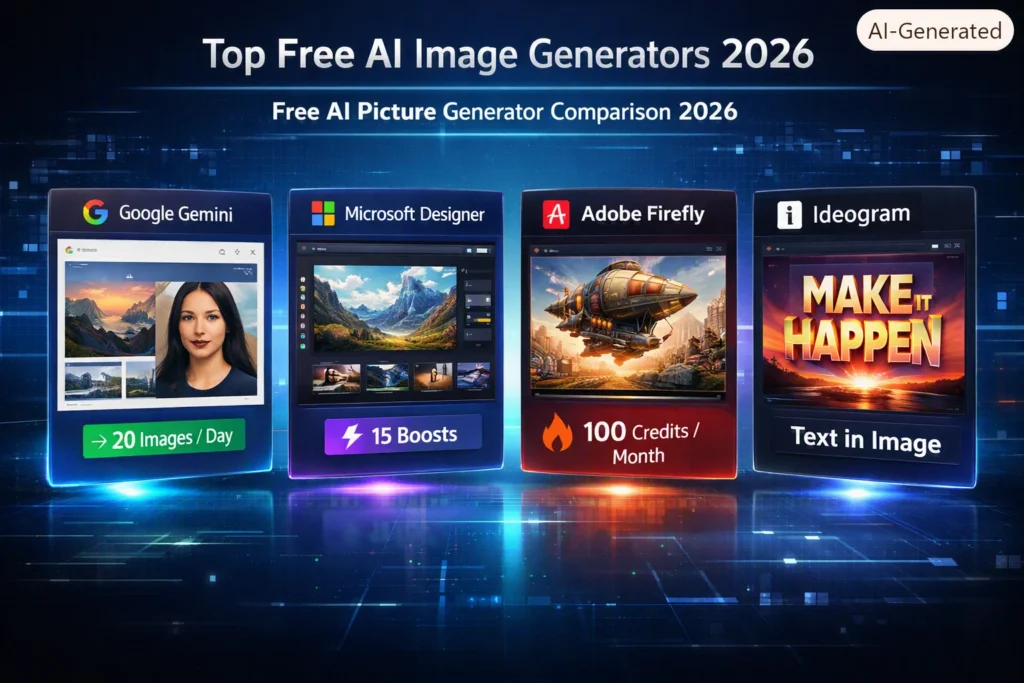
The best free AI picture generator in 2026 for most users is Google Gemini (Nano Banana 2). It offers about 20 free images daily, clear usage policies, and high-quality outputs. For those needing to generate images with readable text, Ideogram is the top choice, while Stable Diffusion provides unlimited local generation for technically inclined users. Always check licensing terms before using generated images commercially.
Let’s be honest. We all want stunning AI images without handing over a credit card. The good news? 2026 is the best year yet for free AI picture generator tools. The bad news? The sheer number of options can be overwhelming. And some “free” tools are about as generous as a parking meter.
This isn’t just another list of names. We’re breaking down exactly what you get, what you don’t, and which free AI image generator actually fits your needs. Whether you’re a designer, a marketer, or just someone who wants to create a cool new avatar, let’s find your perfect match.
Top Free AI Image Generators
| Tool | Best For | Free Tier Limits (Verify) | Commercial Use? | Key Strength |
|---|---|---|---|---|
| Google Gemini | Overall Best | ~20 images/day (1K); ~2/day (Pro model) | Check current terms | Clear limits, high quality |
| Microsoft Designer | Quick Ideation | 15 “boosts”/day; then slower | Personal use only (free tier) | Microsoft ecosystem integration |
| ChatGPT | Beginners | ~2-3 images/day (rolling 24h) | Check current terms | Conversational editing |
| Ideogram | Text in Images | 10 “slow” credits/week (~40 images) | Allowed (outputs public) | Accurate text rendering |
| Leonardo AI | Daily Volume | 150 tokens/day (~25-37 images) | Yes, non-exclusive | Token system stretches further |
| Stable Diffusion | Full Control | Unlimited (local install) | Yes (Open RAIL license) | No platform limits |
| Adobe Firefly | Brand-Safe Assets | Limited monthly credits | Commercial use allowed; no indemnification | Training data transparency |
The Major Players: A Deep Dive
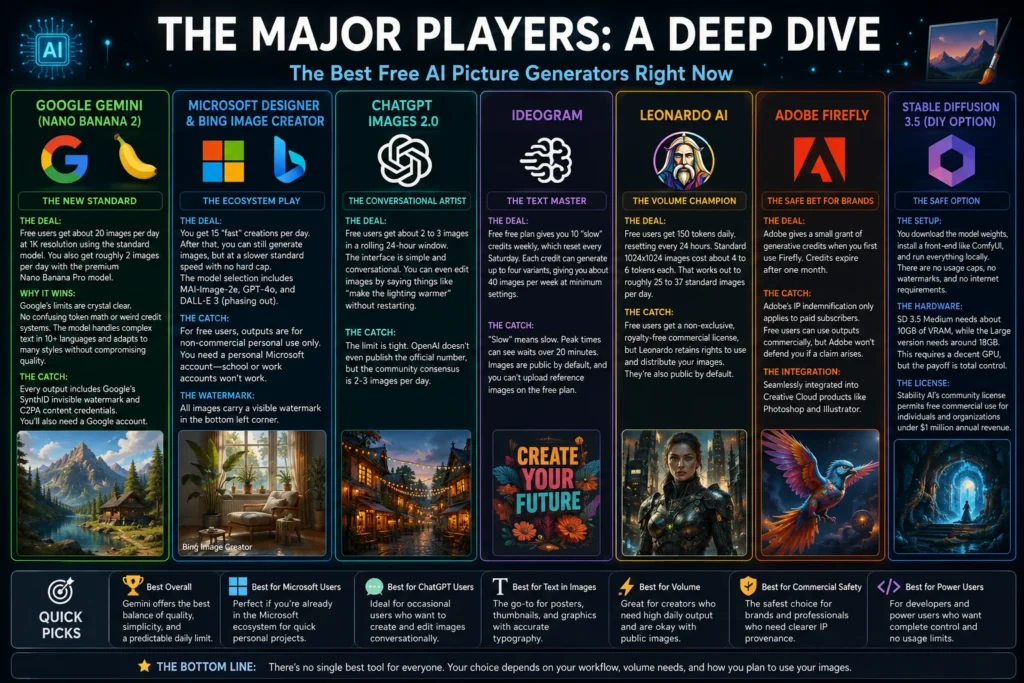
Let’s get into the details of each tool. This is where we separate the real deals from the clickbait.
Google Gemini (Nano Banana 2): The New Standard
Google’s Gemini has quickly become the gold standard for a free AI picture generator . With the release of Nano Banana 2 (officially Gemini 3.1 Flash Image), they’ve made it incredibly easy to use .
- The Deal: Free users get about 20 images per day at 1K resolution using the standard model. You also get roughly 2 images per day with the premium Nano Banana Pro model .
- Why it wins: Google’s limits are crystal clear. No confusing token math or weird credit systems. The model handles complex text in 10+ languages and adapts to many styles without compromising quality .
- The Catch: Every output includes Google’s SynthID invisible watermark and C2PA content credentials. You’ll also need a Google account .
For most people, Gemini offers the best balance of quality, simplicity, and a predictable daily limit.
Microsoft Designer & Bing Image Creator: The Ecosystem Play
Microsoft’s offering is essentially the same generation pipeline with two different interfaces . It’s a powerful AI image creator for anyone already in the Microsoft world.
- The Deal: You get 15 “fast” creations per day. After that, you can still generate images, but at a slower standard speed with no hard cap . The model selection now includes Microsoft’s own MAI-Image-2e, GPT-4o, and DALL-E 3 (which is being phased out) .
- The Catch: This is a big one. For free users, outputs are for non-commercial personal use only . You also need a personal Microsoft account—school or work accounts won’t work .
- The Watermark: All images carry a visible watermark in the bottom left corner .
This tool is fantastic for quick personal projects and experimentation. But if you’re building a business, you’ll need to read the fine print.
ChatGPT Images 2.0: The Conversational Artist
OpenAI’s ChatGPT is a great option if you already use it for writing or research. With the release of ChatGPT Images 2.0 (powered by the gpt-image-2 model), they’ve moved on from DALL-E 3 .
- The Deal: Free users get about 2 to 3 images in a rolling 24-hour window. The interface is simple and conversational. You can even edit images by saying things like “make the lighting warmer” without restarting .
- The Catch: The limit is tight. OpenAI doesn’t even publish the official number, but the community consensus is 2-3 images per day .
This is perfect for occasional users who want to dabble in AI art without leaving their ChatGPT environment.
Ideogram: The Text Master
Ideogram built its reputation on one thing: generating readable text inside images. For posters, thumbnails, and social media graphics with visible words, it’s a top choice.
- The Deal: The free plan gives you 10 “slow” credits weekly, which reset every Saturday. Each credit can generate up to four variants, giving you about 40 images per week at minimum settings .
- The Catch: “Slow” means slow. Peak times can see waits over 20 minutes . Images are public by default, and you can’t upload reference images on the free plan .
Despite the quirks, Ideogram remains the go-to for anyone who needs accurate typography in their AI picture generator.
Leonardo AI: The Volume Champion
Leonardo AI uses a token system that can provide more daily images than Gemini’s flat limit—if you’re willing to do the math.
- The Deal: Free users get 150 tokens daily, resetting every 24 hours. Standard 1024×1024 images cost about 4 to 6 tokens each. That works out to roughly 25 to 37 standard images per day .
- The Catch: Free users get a non-exclusive, royalty-free commercial license, but Leonardo retains rights to use and distribute your images. They’re also public by default .
This is a solid choice for concept artists and creators who need reliable daily volume.
Adobe Firefly: The Safe Bet for Brands
Adobe Firefly positions itself as the “commercially safe” option. Its first image model was trained on licensed Adobe Stock images and public domain content, making its training provenance clearer than most .
- The Deal: Adobe gives a small grant of generative credits when you first use Firefly. Credits expire after one month .
- The Catch: Adobe’s IP indemnification only applies to paid subscribers. Free users can use outputs commercially, but Adobe won’t defend you if a claim arises .
- The Integration: It’s seamlessly integrated into Creative Cloud products like Photoshop and Illustrator .
If you’re a professional designer, Firefly is a powerful tool that fits naturally into your workflow.
The DIY Option: Stable Diffusion 3.5
If you’re willing to get your hands dirty, Stable Diffusion offers something no web tool can match: zero platform limits.
- The Setup: You download the model weights, install a front-end like ComfyUI, and run everything locally. There are no usage caps, no watermarks, and no internet requirements .
- The Hardware: SD 3.5 Medium needs about 10GB of VRAM, while the Large version needs around 18GB . This requires a decent GPU, but the payoff is total control .
- The License: Stability AI’s community license permits free commercial use for individuals and organizations under $1 million annual revenue .
This is for developers and power users who want complete control and no usage limits. It’s the most powerful AI image generator free online option, but it comes with a technical learning curve.
What About “No Login” or “Unlimited” Generators?
You might see sites promising an AI image generator without signup or AI image generator unlimited. These usually come with major trade-offs. As of June 2026, genuinely free, keyless, no-signup generative video doesn’t exist in a browser . Some tools are using the Puter.js SDK, which creates an anonymous account on first use (no email or password required), with light usage being free . These can be handy for a quick test, but always check the terms and understand that “unlimited” often translates to “unlimited patience” due to slow queue times .
Commercial Rights: The Fine Print
“Free” doesn’t always mean “free to sell.” Here’s a summary of the commercial use rules for some key players:
- Microsoft Designer: Free outputs are non-commercial only .
- Adobe Firefly: Free outputs can be used commercially, but no IP indemnification .
- Leonardo AI: Free users get commercial rights, but Leonardo retains usage rights .
- Stable Diffusion 3.5: Commercial use is permitted under the Open RAIL license .
The golden rule: Always check the current terms of service before using generated images in commercial projects.
How to Choose Your Tool
Still not sure? Ask yourself these questions:
- How many images do you need daily? If you need more than 20, Leonardo AI or Stable Diffusion are better than Gemini.
- Do you need text inside images? Ideogram is your best bet.
- Is commercial use involved? Verify licensing carefully—Microsoft’s free tier is non-commercial, for example.
- How technical are you? Casual user? Stick with Gemini. Developer? Go local with Stable Diffusion.
The Bottom Line
The free AI image generation ecosystem has matured significantly. For 2026, Google Gemini offers the best balance of quality, simplicity, and predictable free limits for most users. But your specific needs—volume, text rendering, privacy, or commercial use—might point you elsewhere. Pick your tool wisely, test it thoroughly, and never assume your rights are broader than they actually are.
Frequently Asked Questions
What is the best free AI picture generator overall?
For most users, Google Gemini (Nano Banana 2) offers the best balance of quality, usability, and clear daily limits. You get about 20 free images per day at 1K resolution, with transparent usage policies. The model handles diverse styles and multiple languages effectively.
Can I use free AI generated images for commercial purposes?
It depends entirely on the platform. Microsoft Designer restricts free outputs to personal, non-commercial use only. Adobe Firefly allows commercial use but offers no IP indemnification for free users. Leonardo AI provides commercial rights but retains usage rights and makes outputs public by default. Always check each tool’s current terms of service before selling or using images in business projects.
How many free images can I generate per day?
Limits vary widely. Google Gemini offers about 20 images daily. ChatGPT Images 2.0 gives roughly 2-3 images per day. Leonardo AI provides 150 tokens daily, which translates to about 25-37 standard images. Microsoft Designer offers 15 “boosted” generations before slower unlimited generation kicks in. Ideogram works on a weekly system with 10 credits (about 40 images per week).
Is there a truly unlimited free AI image generator?
No legitimate, high-quality platform offers truly unlimited free generation without restrictions. Some sites advertise “unlimited” but typically have hidden limits, slow queue times, lower quality, or data harvesting practices. For actual unlimited generation, you need to run Stable Diffusion 3.5 locally on your own hardware.
Do I need to create an account to use these tools?
Most major platforms require an account. Google Gemini needs a Google account. Microsoft Designer requires a personal Microsoft account. ChatGPT Images requires OpenAI credentials. Leonardo AI requires sign-up. Some smaller services offer an AI image generator without signup, but these usually have strict limits or lower quality. True anonymity often means sacrificing features and control.
Can AI image generators create text inside images?
Yes, but not all tools handle this well. Ideogram leads the pack for readable text rendering, consistently producing accurate signage, labels, and typography. Google Gemini handles text reasonably well across multiple languages, while ChatGPT Images 2.0 offers basic text capabilities. Other tools often struggle with text, producing garbled or nonsensical results.
Which free AI picture generator is best for beginners?
ChatGPT Images 2.0 offers the most intuitive conversational interface, allowing you to generate and edit images with natural language. Google Gemini is also beginner-friendly with straightforward prompts and no confusing token systems. Avoid technical options like Stable Diffusion unless you’re comfortable with installation and troubleshooting.
Are free AI image generators safe to use?
Generally yes, but exercise caution. Major platforms like Google, Microsoft, Adobe, and OpenAI have robust privacy policies and security measures. However, smaller or lesser-known services might collect your data or use your prompts for training. Always review the privacy policy and terms of service. Consider using local tools like Stable Diffusion for complete privacy.
What hardware do I need for Stable Diffusion?
Stable Diffusion 3.5 Medium requires about 10GB of VRAM, while the Large version needs approximately 18GB . This typically means a powerful NVIDIA GPU like an RTX 3060 or better. If you don’t have the hardware, consider cloud-based options like Google Colab’s free tier with GPU access, though availability and limits vary.
Can I use these tools to generate logos or professional designs?
Yes, but with limitations. Many AI image generator tools can create logos, but they often require multiple iterations and post-processing. Ideogram is excellent for text-based logos. For more control and vector outputs, you might need dedicated AI logo generators or combine these tools with traditional design software. Always check commercial licensing before using AI-generated logos for businesses.
Do free AI image generators add watermarks?
Some do. Microsoft Designer adds a visible watermark to the bottom left corner of all free-generated images. Google Gemini includes an invisible SynthID watermark and C2PA content credentials. Other tools like Leonardo AI and Ideogram don’t add visible watermarks but may require attribution or make outputs public.
Are there any good free AI image generator apps for mobile?
Most major platforms offer mobile-friendly websites or dedicated apps. Microsoft Designer has a well-regarded mobile app. Leonardo AI offers mobile access through its platform. Google Gemini is available through the Google app. However, many free tiers on mobile have the same limits as desktop versions or are more restrictive.
How do I improve my prompts for better results?
Be specific, descriptive, and include stylistic keywords. Instead of “a dog,” try “a golden retriever puppy sitting in a sunny meadow, photorealistic, 8K, golden hour lighting.” Include art styles (“digital painting,” “oil painting,” “anime”), camera details (“wide angle,” “macro”), and mood descriptors (“mysterious,” “cheerful,” “dramatic”). Experiment with different phrasings and learn what each model responds to best.
Can AI image generators replicate specific artists or copyrighted styles?
Most major platforms restrict prompts that explicitly name living artists or copyrighted characters. Open Generative AI and some local Stable Diffusion models offer more freedom, but legal and ethical considerations apply. Generating art “in the style of” a specific living artist is generally discouraged and may violate platform policies.
What happens to my generated images on free platforms?
Policies vary significantly. Google retains data for content moderation and improvement but generally respects user privacy. Leonardo AI makes your images public by default on the free tier and retains rights to use them. Ideogram also makes outputs public. Microsoft’s policies focus on personal use. For full privacy and ownership, local solutions like Stable Diffusion are the only guarantee.
Are there any free alternatives to Midjourney?
While Midjourney itself no longer offers a free trial, these tools serve as excellent free alternatives:
- Google Gemini for general purpose generation
- Leonardo AI for higher volume with decent quality
- Ideogram for text-heavy designs
- Stable Diffusion for unlimited creative control
Each offers different strengths, but collectively they cover most use cases that Midjourney users typically need.
How often do free limits reset?
- Google Gemini: Daily (24-hour cycle)
- Microsoft Designer: Daily (24-hour cycle)
- ChatGPT Images: Rolling 24-hour window
- Leonardo AI: Daily at a fixed time
- Ideogram: Weekly on Saturdays at UTC 00:00
- Adobe Firefly: Monthly credits
Always check your specific platform’s reset schedule to maximize your usage.
Can I generate high-resolution images for free?
Yes, but limits apply. Google Gemini offers 1K resolution with 2K available on the Pro model (limited daily). ChatGPT Images 2.0 supports up to 2K resolution. Leonardo AI charges more tokens for higher resolutions. Stable Diffusion allows any resolution your hardware can handle. Most free tiers offer sufficient quality for web use, but print-ready high-res outputs may require paid upgrades.
Conclusion
Finding the right free AI picture generator doesn’t have to feel like a treasure hunt. The landscape has evolved dramatically, and 2026 offers more genuine free options than ever before. But here’s the real takeaway: the “best” tool depends entirely on your specific needs, not what some flashy ad promises.
For the average user who wants reliable, high-quality images without jumping through hoops, Google Gemini delivers the most balanced experience. Its clear 20-image daily limit, impressive model quality, and straightforward interface make it the default recommendation for most people. It simply works without the headaches.
Need more volume? Leonardo AI stretches its token system to give you roughly 25-37 images daily—perfect for concept artists and content creators who need consistent output. But pay attention to those public default settings and licensing terms.
Creating posters or social graphics with readable text? Ideogram remains unmatched. Yes, the weekly credits and slow generation times require patience, but the typography quality justifies the wait.
For professionals and businesses, Adobe Firefly offers something unique: training data transparency. While free users don’t get IP indemnification, the integration with Creative Cloud and clearer training provenance make it worth considering if you’re already in the Adobe ecosystem.
And if you’re a developer or power user willing to invest time in setup, Stable Diffusion gives you unlimited generation with complete ownership and privacy. No caps, no watermarks, no third-party rights claims. Just you, your GPU, and total creative freedom.
The bottom line? Free AI image generation has matured from a novelty into a genuinely useful tool. You no longer need to compromise on quality or settle for watermarked outputs. But you do need to read the fine print. “Free” means different things to different platforms, and commercial use, ownership, and privacy vary significantly.
Pick your tool based on your actual workflow. Test a few options. And never assume your rights are broader than they actually are. With the right choice, you’ll have a powerful creative partner that costs absolutely nothing.

Justin Powell is a writer at GramBrix.com who focuses on grammar, clarity and effective communication, helping readers strengthen their language skills.