Last Updated on July 29, 2026
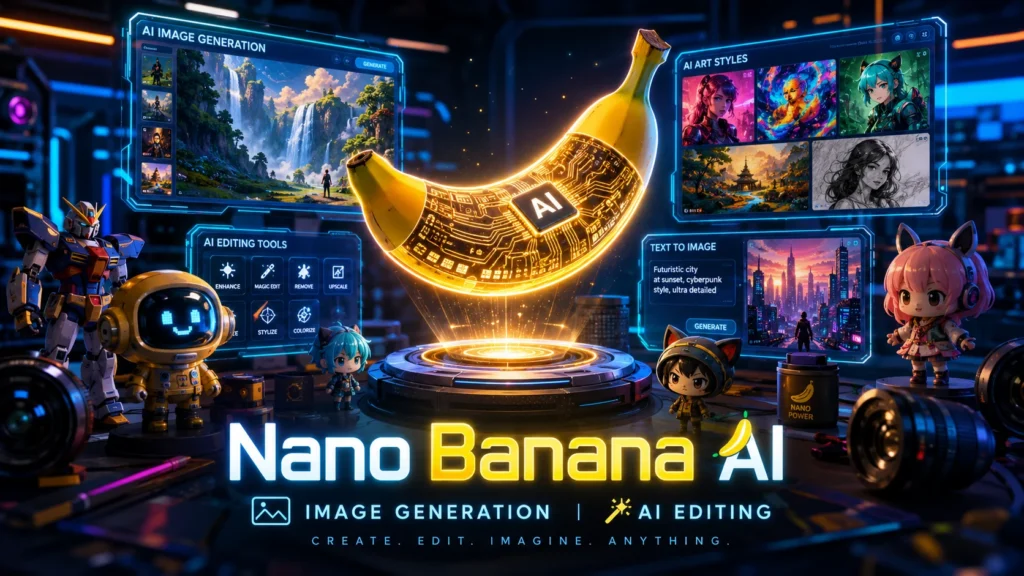
What is Nano Banana AI? Nano Banana AI is the viral nickname for Google’s advanced Gemini 2.5 Flash image generation model. It’s a powerful AI tool that lets you create and edit images using natural language. You can generate photorealistic pictures from text, edit specific parts of an image with a simple prompt, and even blend multiple images into one cohesive scene. Its standout feature is maintaining character and object consistency across many generations, making it a favorite for storytellers and marketers. You can access the real Nano Banana for free with limitations through Google’s Gemini app and AI Studio.
What is Nano Banana AI?
If you’ve scrolled through social media lately, you’ve probably seen them. Hyper-realistic action figures of your friends. Celebrity selfies turned into collectible toys. Quirky, vintage-style portraits. This visual wave has a name: Nano Banana AI.
But what exactly is it?
Nano Banana isn’t a standalone app you download. It’s the internet’s playful codename for Google’s Gemini 2.5 Flash Image model, a state-of-the-art AI for creating and editing visuals. Google officially introduced this model in late August 2025, and it quickly took the world by storm.
The name itself is a quirky mix. “Nano” refers to a streamlined version of Google’s Gemini model built for speed and efficiency. “Banana” is simply the offbeat internal nickname the development team gave it. When these two words combined, they created a brand that captured the internet’s imagination.
Think of it as a supercharged creative assistant. You type what you want, and it generates or edits images with a sophistication that feels almost magical. Within just two weeks of its launch, the Gemini app gained over 23 million new users, who generated more than 500 million images. That’s not just a trend, it’s a movement.
The Real Deal: Google vs. The Copycats
Before we go further, this is the most important part of this guide. Because the buzz around Nano Banana has created a gold rush, you’ll find dozens of websites offering “Nano Banana Pro” or “Nano Banana AI Online.”
Here’s the truth. Many of these are third-party wrapper sites. They use the viral name to sell access to other, often cheaper, AI models.
The authentic Nano Banana experience comes directly from Google. It’s the technology powering features inside the official Gemini app, Google AI Studio, and NotebookLM.
- The Real One (Google): Uses Gemini 2.5 Flash and the powerful Imagen 4 model. It has world-class understanding, character consistency, and powerful editing chops. It’s available through official Google channels.
- The Clones: Sites like
nanobanana.imorbananaai.proare independent platforms. They may offer similar functionality, but they aren’t using Google’s proprietary technology. They often have different pricing structures and quality levels.
This guide focuses on the real Nano Banana. The one from Google. The one that’s changing how we think about visual content.
Key Features of Nano Banana AI
What makes Google’s Nano Banana so special? It’s not just about generating pretty pictures. It’s about the intelligence behind them. Here are the standout features that set it apart:
1. Unprecedented Character Consistency
This is the holy grail of AI image generation. In the past, creating a character in one scene and then using it in another was a nightmare. The AI would often change its face, clothes, or body type.
Nano Banana solves this. It can maintain the exact appearance of a character or object across multiple prompts and edits. You can place the same person in a forest, then a spaceship, then a 1920s jazz club, and they’ll look the same every time. This is a game-changer for storytelling, branding, and comic creation.
2. Conversational AI Image Editing
Forget complex menus and layers. With Nano Banana, you edit images just by talking. Want to remove a person from the background? Just say it. Need to blur the background for a portrait effect? Type it in. Want to change a blue sofa to a vintage brown leather one? Tell the AI.
This is called prompt-based image editing. It uses natural language to make precise, localized edits. It understands context, so when you remove an object, it fills the space with something that looks natural.
3. Multi-Image Fusion
Nano Banana can understand and merge multiple images at once. Imagine you have a photo of a product and a picture of a beautiful beach. You can fuse them together, placing the product perfectly onto the beach scene. It adjusts the lighting, shadows, and perspective to make it look realistic.
This is incredibly powerful for e-commerce, where you can create lifestyle images without a costly photoshoot. It’s also great for creatives who want to blend elements from different sources into one cohesive artwork.
4. Native World Knowledge
Most AI image generators are great at aesthetics but lack real-world understanding. Nano Banana is different. Because it’s built on Google’s Gemini architecture, it has a deep semantic understanding of the world.
It can interpret diagrams, help with educational tasks, and follow complex, multi-step instructions. You could ask it to visualize a complex scientific concept, and it would understand the components and relationships, not just create a pretty but meaningless picture.
5. SynthID Watermarking
As AI becomes more powerful, so does the need for responsibility. All images created or edited by Nano Banana include an invisible SynthID digital watermark. This allows the image to be identified as AI-generated or edited, promoting ethical use and helping to combat misinformation.
How to Use Nano Banana AI (Official Ways)
Ready to try it yourself? Here are the official, legitimate ways to access Nano Banana AI.
For Casual Users
1. The Gemini App
This is the easiest way. You can use it on the web or via the mobile app.
- Step 1: Sign in to the Gemini app.
- Step 2: Look for the “Create images” option or the “+” button.
- Step 3: Select the “Thinking” model to access the advanced Nano Banana Pro features.
- Step 4: Type your prompt and hit submit.
2. Google AI Studio
This is a free web-based tool for developers and enthusiasts to experiment with Google’s AI models. It’s a great playground for testing prompts.
- Step 1: Go to Google AI Studio.
- Step 2: Click “Try Nano Banana” or start a new prompt.
- Step 3: Enter your text prompt and click “Run.”
3. NotebookLM
This is a powerful research and note-taking tool that now includes AI image generation. You can convert your notes and research into infographics, slide decks, and other visual content using Nano Banana.
For Developers
1. Gemini API
You can integrate Nano Banana directly into your own applications using the Gemini API. You’ll use the model to send requests for image generation and editing.
- Cost: The model is billed at $30 per 1,000,000 output tokens. Each image you generate costs about 1290 output tokens, which works out to approximately $0.039 per image.
2. Google Workspace
Business and enterprise users can access Nano Banana Pro in tools like Google Slides and Vids. In Slides, you can use the “Help me visualize” option to create professional-looking graphics and infographics.
Nano Banana AI Pricing: Free vs. Paid
The pricing is straightforward and fair. There’s a free tier for exploration and a paid tier for serious users.
- Free Tier: Available through Google AI Studio, the Gemini app, and the API. You get a daily quota of image generations to experiment and test the tool.
- Paid Tier: For higher volume, paid pricing applies. In the Gemini API, it’s $0.039 per image. In the Gemini app, a subscription (e.g., Google AI Plus, Pro, or Ultra) lifts the restrictions and gives you higher generation quotas.
The Viral “Action Figure” Trend
The most popular use of Nano Banana is undoubtedly the action figure craze. This trend involves turning photos of people, pets, or even fictional characters into hyper-realistic miniature figurines.
The results are uncanny. The AI creates a scene where a small, packaged figure of the subject sits on a desk, often with a transparent acrylic base and a beautifully designed toy box next to it. People have made Nano Banana versions of their friends, family, celebrities, and historical figures, sharing them with the hashtag #NanoBanana.
Here’s a simple prompt to create one:
“Create a 1/7 scale commercialized figurine of the person in this photo in a realistic style. The figurine is placed on a computer desk on a round transparent acrylic base with no text. Next to it is a toy packaging box printed with flat illustrations.”
Best Prompting Strategies for Nano Banana
To get the best results from Nano Banana, you need to know how to talk to it. Here are some pro tips.
1. Be Descriptive and Specific
Don’t just say “a dog.” Instead, say “a happy golden retriever puppy running through a field of wildflowers at golden hour, with soft, warm lighting and a sense of joyful motion.” The more detail you provide, the better the result. Include mood, lighting, colors, and composition.
2. Describe What You Want, Not What You Don’t Want
Instead of saying “a photo without any people,” say “a calm, empty street with buildings and shops.” Negative prompts can confuse the AI. Describing the positive state is much more effective.
3. Use Multiple Images for Editing
When editing, provide the image and be clear about what to change. “In the attached photo of my living room, replace the coffee table with a vintage wooden trunk, keeping the same lighting and shadows.”
4. Take an Iterative Approach
You don’t have to nail the perfect prompt in one go. Start simple, see what the AI creates, and then refine your prompt. You can have a conversation with the AI, guiding it step-by-step to your desired result.
“Prompting, when treated as a process of refinement, provides desired outputs. You can start simple, check the output, and then add details or adjust what isn’t working.”
Nano Banana AI vs. Midjourney vs. DALL·E
How does Nano Banana stack up against the other AI giants?
| Feature | Nano Banana (Gemini 2.5 Flash) | Midjourney (V7) | DALL·E 3 |
|---|---|---|---|
| Character Consistency | Excellent. Built for maintaining identity across edits. | Strong. Uses Style and Omni References. | Moderate. Relies on iterative conversation. |
| Editing Workflow | Conversational. Edit with natural language. | Inpainting/Remix. More manual, technical. | Chat-based. Good for inpainting in the UI. |
| Speed | Very Fast. Built for efficiency (Flash model). | Moderate. Has Draft mode for speed. | Fast. Quick generation within chat loops. |
| World Knowledge | Excellent. Understands complex real-world concepts. | Moderate. Focuses on aesthetics over logic. | Good. Leverages GPT-4o’s knowledge. |
| Cost | $0.039 per image. Free daily limits. | $10-$60/month. Subscription-based. | Free (2/day) or via ChatGPT Plus. |
| Best For | Product integration, consistent characters, and rapid, versatile editing. | High-art, photorealistic, and creative inspiration. | Quick, chat-driven iteration and simple edits. |
Pros and Cons of Nano Banana AI
Let’s be honest. No tool is perfect.
Pros:
- Incredible Consistency: Keeps characters and objects looking the same across all your images.
- User-Friendly Editing: Editing images with plain English is a massive win for non-designers.
- Multi-Image Fusion: Seamlessly combine concepts from different images.
- Strong World Knowledge: It understands what it’s generating, leading to smarter visuals.
- SynthID Watermark: Encourages responsible AI use and transparency.
Cons:
- Fine Detail Can Fail: It sometimes struggles with generating perfect hands, intricate patterns, and precise text.
- Not a 3D Model Generator: The “3D” look is an illusion. It produces flat images with simulated depth, not actual, rotatable 3D models.
- Access is Gated: You can’t just download an app. You need to access it via Gemini, AI Studio, or the API.
- Confusing Landscape: The presence of many third-party sites that use the same name can confuse users.
The Future of Visual Content with Nano Banana
Nano Banana AI is more than just a viral trend. It represents a fundamental shift in how we create and interact with images. It’s democratizing high-quality visual content, putting powerful creative tools into the hands of anyone with a smartphone or a computer.
For businesses, it means faster prototyping, cheaper marketing, and more engaging content. For creators, it means new avenues for storytelling and art. And for everyday users, it’s just plain fun.
While it has limitations, the trajectory is clear. AI image generation is getting smarter, faster, and more integrated into our workflows. Google’s Nano Banana is leading this charge, and it’s worth your time to learn how to use it. As one journalist put it after extensive testing, it’s a “solid 8/10: definitely worth using if you’re already in Google’s ecosystem or if you want cleaner, more consistent edits.”
Have you tried creating your own Nano Banana AI images? What prompt worked best for you? Share your experiences and creations in the comments below.
FAQs
What is Nano Banana AI?
Nano Banana AI is the popular nickname for Google’s Gemini 2.5 Flash image generation model. It’s a powerful AI tool that lets you create and edit images using natural language prompts. You can generate new visuals from text, edit specific parts of existing photos, and even fuse multiple images together into a single cohesive scene.
Is Nano Banana AI free?
Yes, there is a free tier. You can access Nano Banana through Google AI Studio and the Gemini app with daily usage limits. If you need more generations, paid plans are available. Through the Gemini API, each image costs approximately $0.039.
How do I use Nano Banana AI?
You can access it through official Google channels:
- Gemini App: Select the “Thinking” model and choose “Create images.”
- Google AI Studio: A free web playground for experimenting.
- NotebookLM: Generate visuals from your research notes.
- Gemini API: For developers integrating it into their own apps.
Is Nano Banana AI better than Midjourney or DALL·E?
It depends on what you need. Nano Banana excels at character consistency and conversational editing. If you’re creating a comic or need the same character across multiple scenes, it’s arguably the best option. Midjourney often produces more artistic, stylized images. DALL·E offers strong integration with ChatGPT. Each tool has its strengths.
Are the third-party Nano Banana websites legitimate?
Generally, no. Websites like nanobanana.im or bananaai.pro are independent platforms that use the viral name to attract users. They do not use Google’s proprietary Gemini technology. They often rely on other models like Flux or Stable Diffusion. Always stick to official Google channels for the authentic experience.
What makes Nano Banana different from other AI image generators?
Three key things set it apart:
- Character Consistency: It maintains the exact same character or object across multiple generations.
- Conversational Editing: You edit images by simply telling the AI what to change.
- Multi-Image Fusion: You can combine multiple images into one realistic scene.
Can Nano Banana AI edit existing photos?
Absolutely. You can upload a photo and use natural language to edit it. Want to remove a person from the background? Just say it. Need to change the color of a car or replace an object? Type it in. This is one of its most powerful features.
What are the best prompts for Nano Banana?
Be specific and descriptive. Include details about subject, mood, lighting, colors, composition, and style. For example, instead of “a dog,” say “a happy golden retriever puppy running through a field of wildflowers at golden hour, with soft, warm lighting.
Does Nano Banana AI work on mobile?
Yes, you can access it through the Gemini mobile app on both iOS and Android. It’s also available via the web. The experience is smooth and intuitive on both platforms.
Are Nano Banana images watermarked?
Yes. All images generated or edited by Nano Banana include an invisible SynthID digital watermark. This ensures the image can be identified as AI-generated, promoting responsible use and transparency.
How fast is Nano Banana AI?
It’s built on Gemini 2.5 Flash, which prioritizes speed and efficiency. Generations typically complete in seconds, making it one of the fastest high-quality AI image generators available.
What are the limitations of Nano Banana AI?
While powerful, it has a few quirks:
- Fine Details: It can struggle with generating perfect hands, complex patterns, or precise text on book spines.
- Not True 3D: The action figure effect is a flat image with simulated depth, not an actual rotatable 3D model.
- Access: You can’t download a standalone app. Access is gated through Google’s ecosystem.
Conclusion
Nano Banana AI isn’t just another fleeting internet meme. It’s a genuine leap forward in how we interact with visual content. Google has packaged powerful, multimodal AI into a tool that feels less like a piece of software and more like a creative collaborator.
The magic lies in its simplicity. This is the promise of generative AI realized in a practical, accessible way. Yes, the hype is real. The viral action figure trend is fun and eye-catching, but the true value runs much deeper.
The landscape can be confusing with so many copycat sites vying for your attention. But now you know the difference. You know where to find the real Google-powered model and how to use it effectively. You understand its strengths and its quirks like its occasional struggle with complex hands or fine text.
As Google continues to refine Gemini and integrate it deeper into its ecosystem, tools like Nano Banana will only become more powerful and ubiquitous. They won’t replace human creativity; they’ll augment it. They’ll handle the tedious technical work so you can focus on the ideas.
So go ahead. Open the Gemini app or Google AI Studio. Type your first prompt. Experiment. Make mistakes. Refine. The worst that happens is you get a funny-looking banana action figure. The best that happens is you unlock a new way to bring your imagination to the screen.

Justin Powell is a writer at GramBrix.com who focuses on grammar, clarity and effective communication, helping readers strengthen their language skills.